


| Funktion | Netool.io Pro2 | Netool.io Lite |
|---|---|---|
| Bluetooth- & WLAN-Verbindung | ✅ | ✅ |
| Discovery Protocol Detection | ✅ | ✅ |
| DHCP Detection | ✅ | ✅ |
| Tag VLAN ID Detection | ✅ | ✅ |
| Internet Detection | ✅ | ✅ |
| Flash Port Mode | ✅ | ✅ |
| Save Discovery to Tag Discovery | ✅ | ✅ |
| netool.cloud Support | ✅ | ✅ |
| Share Data | ✅ | ✅ |
| Trace Route | ✅ | ✅ |
| 802.1X Support | ✅ | ✅ |
| PCAP Capture to USB Drive | ✅ | ❌ |
| Untagged Port Configuration Automation | ✅ | ❌ |
| Tagged VLAN Port Configuration Automation | ✅ | ❌ |
| IF/THEN Switch Configuration Automation | ✅ | ❌ |
| ARP Scanning | ✅ | ❌ |
| Rconsole - Remote RS232 Console | ✅ | ❌ |
Fazit
Netool.io Lite ist ideal für grundlegende Netzwerkanalysen und schnelles Troubleshooting.
Netool.io Pro2 bietet erweiterte Analyse-, Capture- und Automatisierungsfunktionen für komplexe Netzwerke.
-

Easy to use
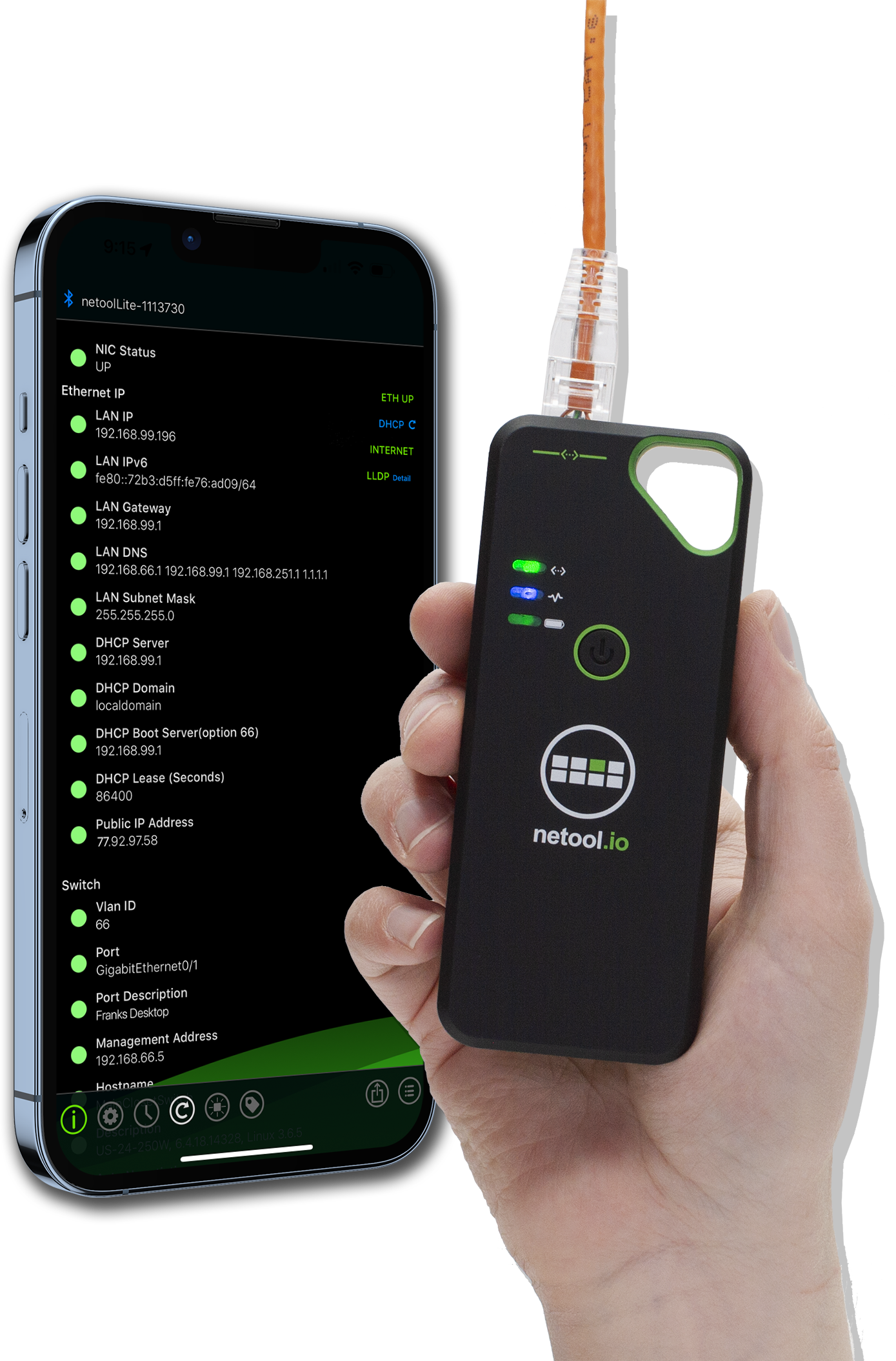
Get your network information quickly and easily on your iPhone or Android smartphone, tablet or Mac / Windows notebook!
-

Small & handy
The most compact and handy network tester on the market. Easy to take anywhere and ready to use at any time!
-

Collaboration
The netool.cloud makes measurements available quickly and easily. Important information can be shared directly via any text-based app, email and much more.


Netool.io Lite & Pro 2
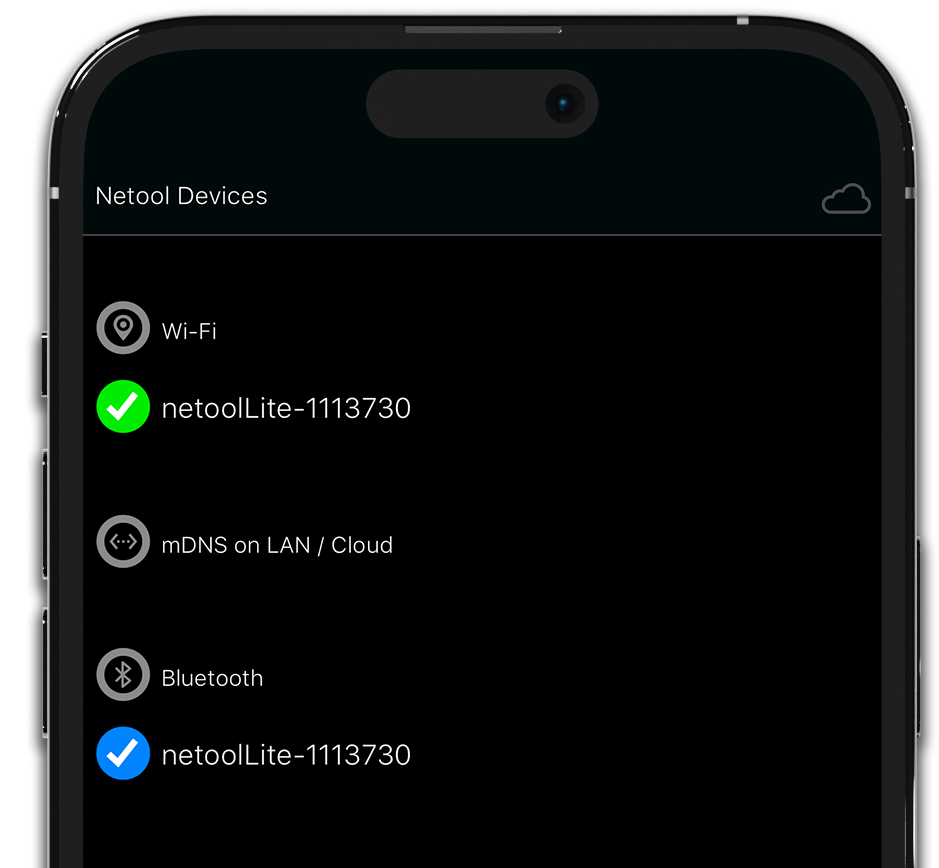
Bluetooth and WiFi Connectivity
- BLE 5.0
Connect to the netool.io Lite via Bluetooth Low Energy and stay connected to your buildings WiFi at the same time. - Wi-Fi
Enable simple NAT router mode to connect your phone to the network your netool.io Lite is testing. This enables you to access switches, servers from your phone. - Flexibility
Connect using the way you want to your netool.Lite, even via the Ethernet port its self using mDNS.
Netool.io Lite & Pro 2
Detect Ethernet switch port info
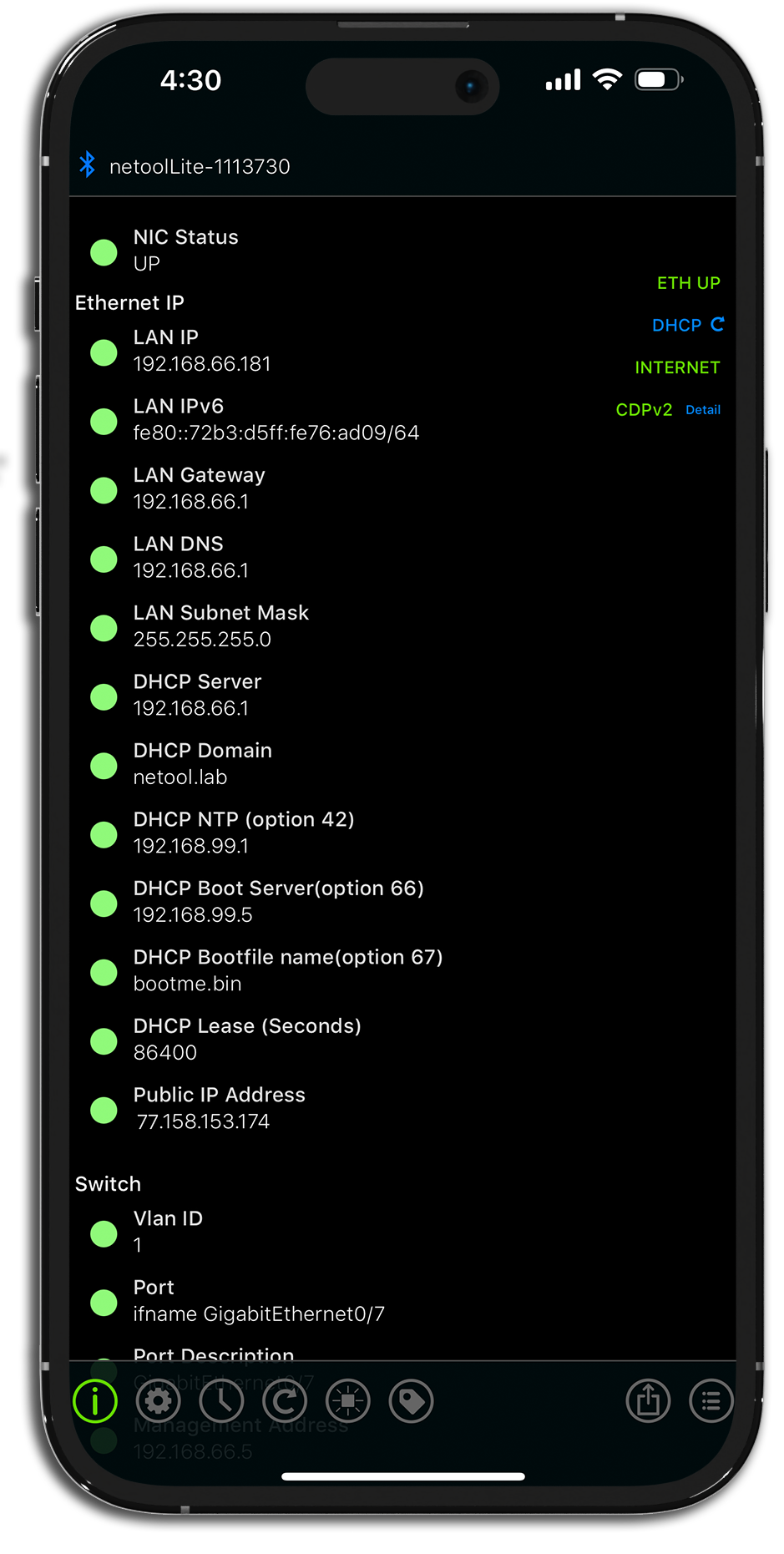
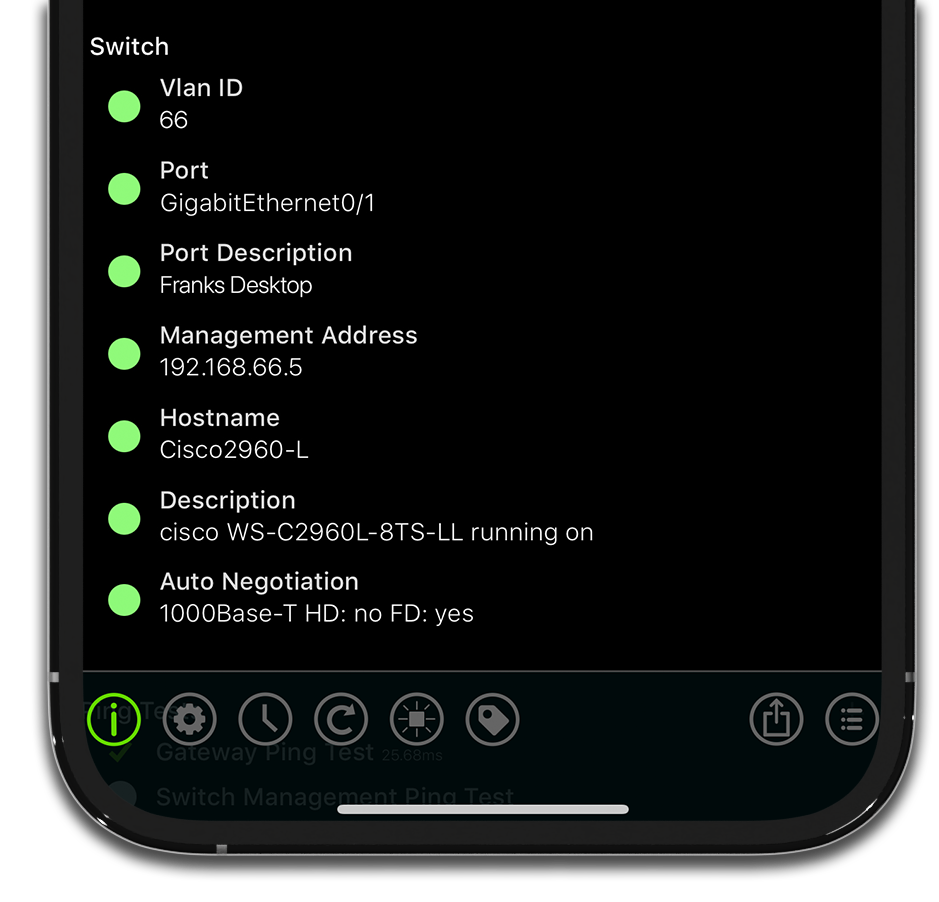
Using a array of discovery protocols including, CDP, CDPv2, LLDP, EAP, FDP, SONMP, you can detect the switch configuration your netool.io is plugged into.
- Untagged VLAN ID
- Switch Port
- Port Description
- Switch Management IP address
- Switch Hostname
- Switch Description
- Switch port Auto Negotiation
- Tagged VLAN IDs
Netool.io Lite & Pro 2
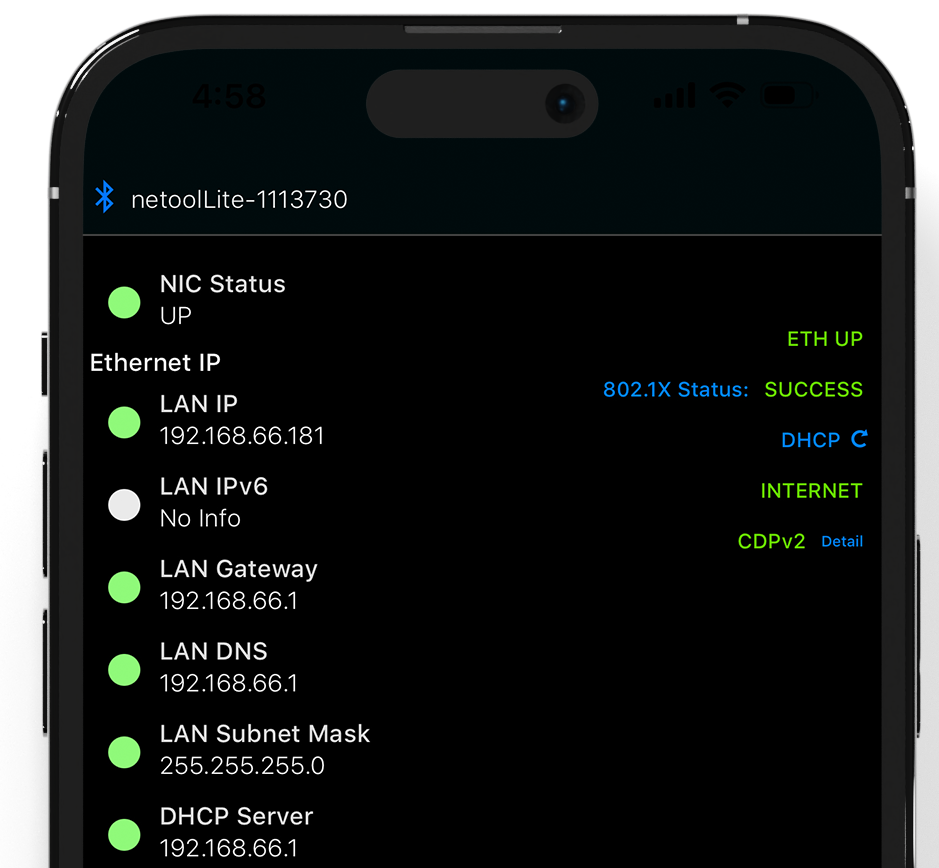
Detect DHCP
Not only the switch port information is read out. The DHCP server is also queried and the information is displayed and documented.
- IPv4 & IPv6
- Gateway
- DNS
- Subnet Mask
- DHCP Server
- DHCP Domain
- DHCP options
- DHCP Lease
- MTU
Netool.io Lite & Pro 2
Test for internet access
After reading out the switch port and DHCP information, a connectivity test is performed.
- ICMP Ping
Using a automatic ICMP ping to google.com, the switches management IP, gateway or a custom address. - HTTP connection
When your netool.io Lite is plugged into an Ethernet port and an IP address is detected the netool will automatically try to connect a given http/web address to detect if internet is available. - Trace Route
You can set you netool.io Lite to automatically run a trace route to a custom address every time you plug in your netool.io into an Ethernet port. - Public IP address detection
Automatically detect the public IP address of the network that your netool.io Lite is plugged into.
Netool.io Lite & Pro 2
802.1X Authentication Testing
Not only the function of the DHCP server is verified. It is also possible to test 802.1X port authentication.
- Visualy see the 802.1X status
Right from the home menu you can see that if 802.1X authentication has failed or succeeded. - Store Username and Password
Easily configure 802.1X in the Ethernet menu with your username and password. - Confirm 802.1X configuration
Automatically detect if your 802.1X configuration is setup with assigned IP scope or an assigned VLAN id.
Netool.io Lite & Pro 2
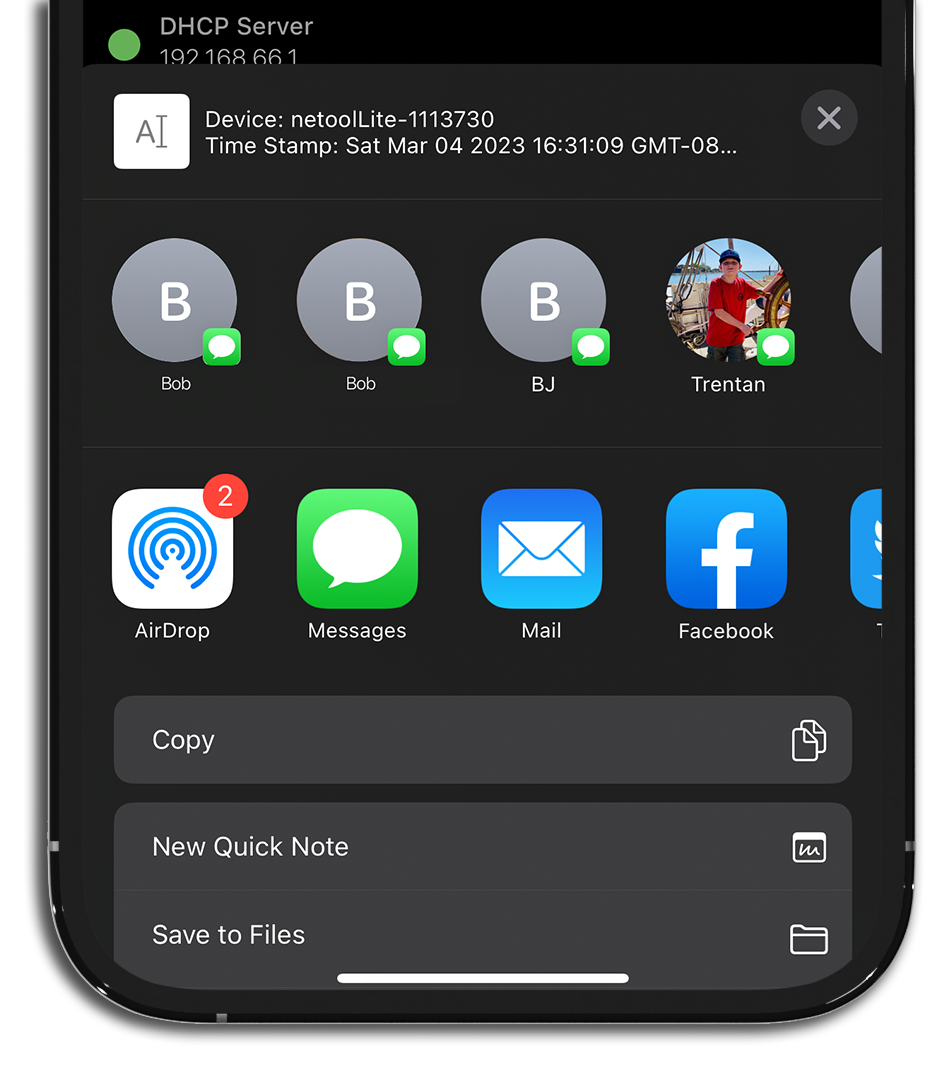
Share your discovery
- Share from the home menu
From the main menu you can share all of the information gathered on this screen to anyone via any text, slack, email and more. - Share from the Tag history menu
From the Tag History menu you can share all of the tag history entries to anyone via any text, slack, email and more. - Share your cloud ID
Easily share your netool.cloud ID to anyone via any text, slack, email and more.
Netool.io Lite & Pro 2
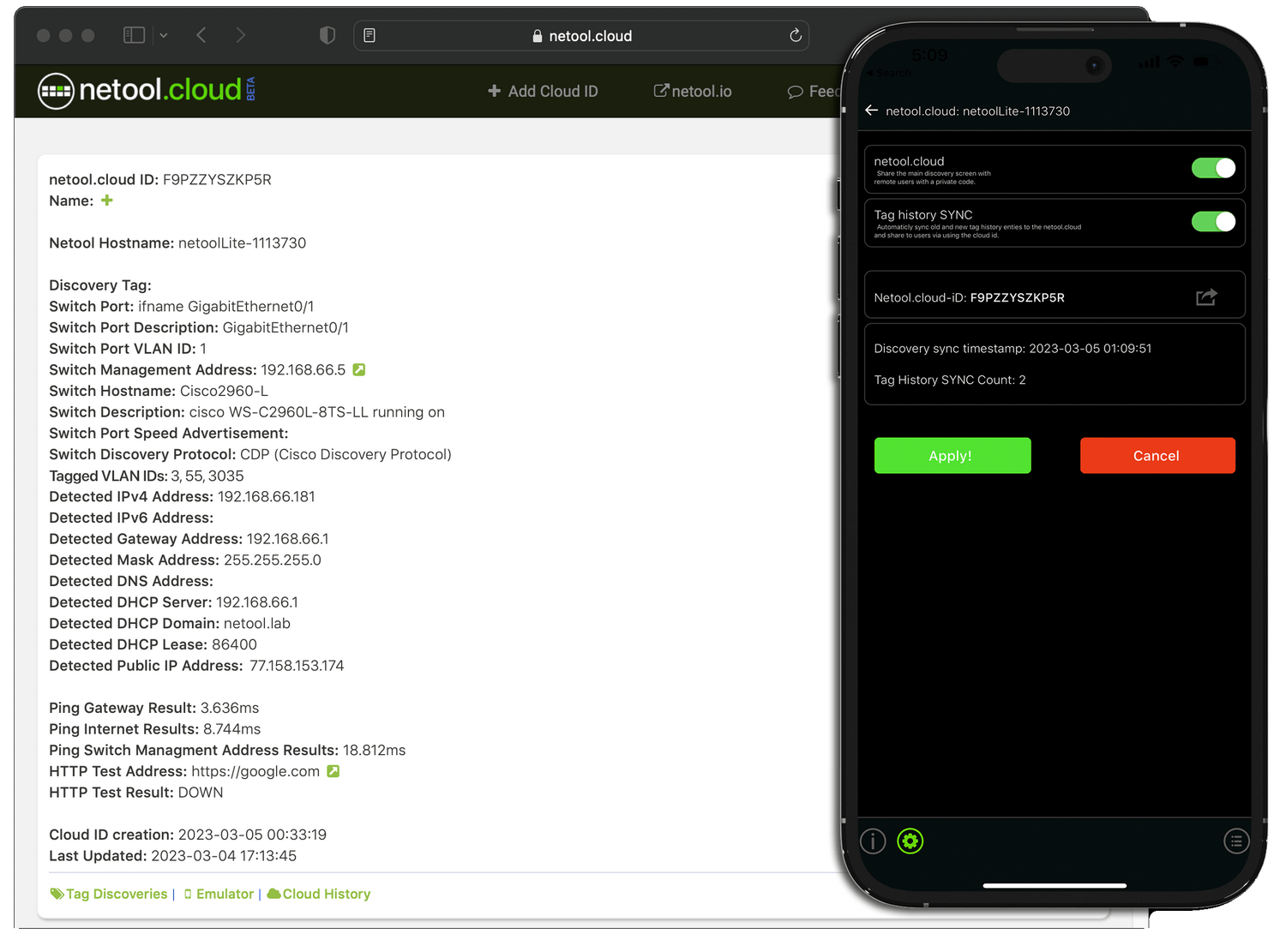
netool.cloud
- Sync main screen data with netool.cloud
- Sync your tag history entries with netool.cloud
- Two Factor Authentication
Netool.io Pro 2
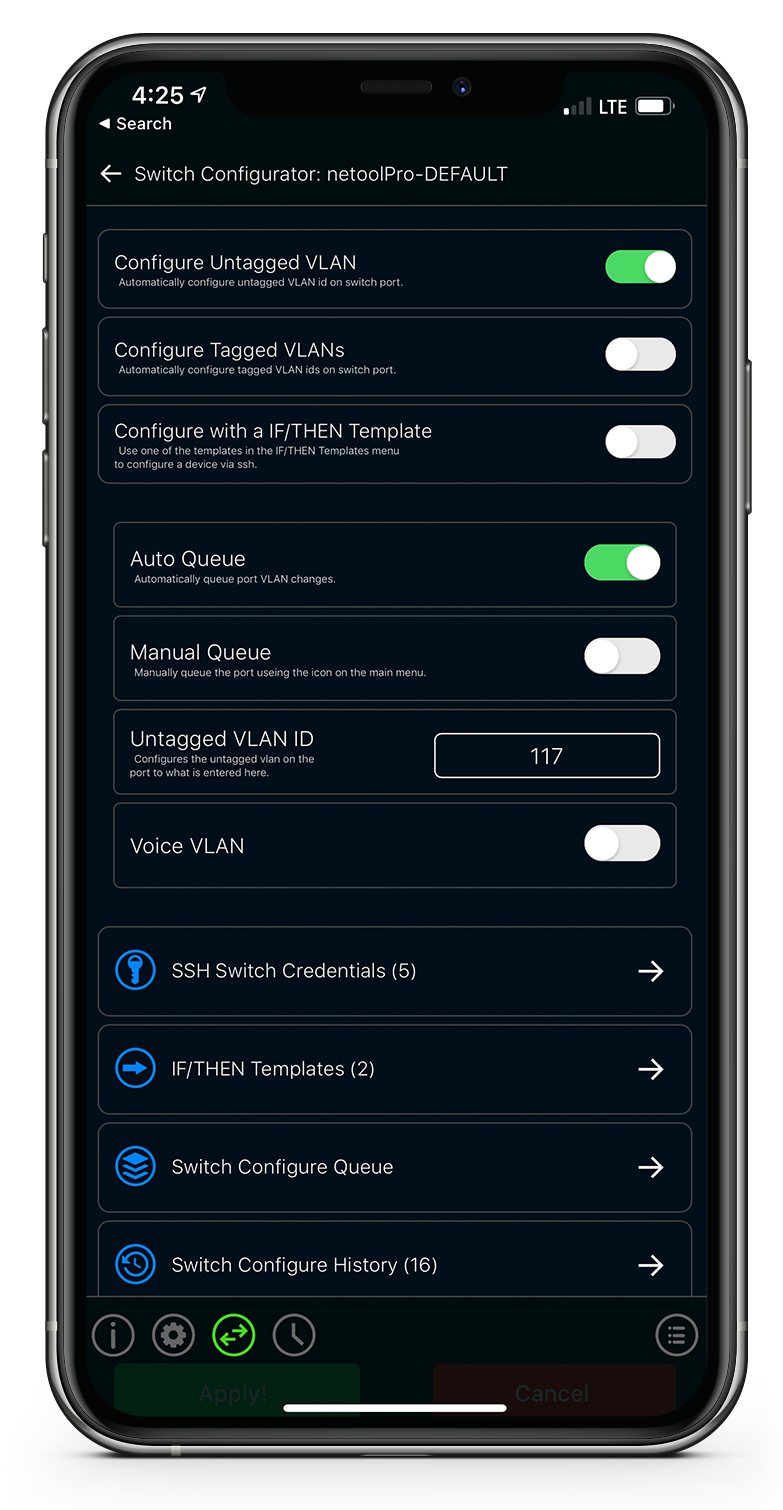
Configure untagged VLAN ID
- Auto configure an endless number of ethernet ports
Create a queue of ports you plug your netool.io Pro into and map it to a VLAN id that you set and auto configure the port later. Requires LLDP or CDP to be enabled on the switch. - On demand queue
Use manual queue on the main menu to queue a port for untagged configuration when you want. - Review what changed
Review what changed with saved logs within the history menu. - No syntax knowledge needed
No need to know the switch CLI syntax to configure untagged ports.
Netool.io Pro 2
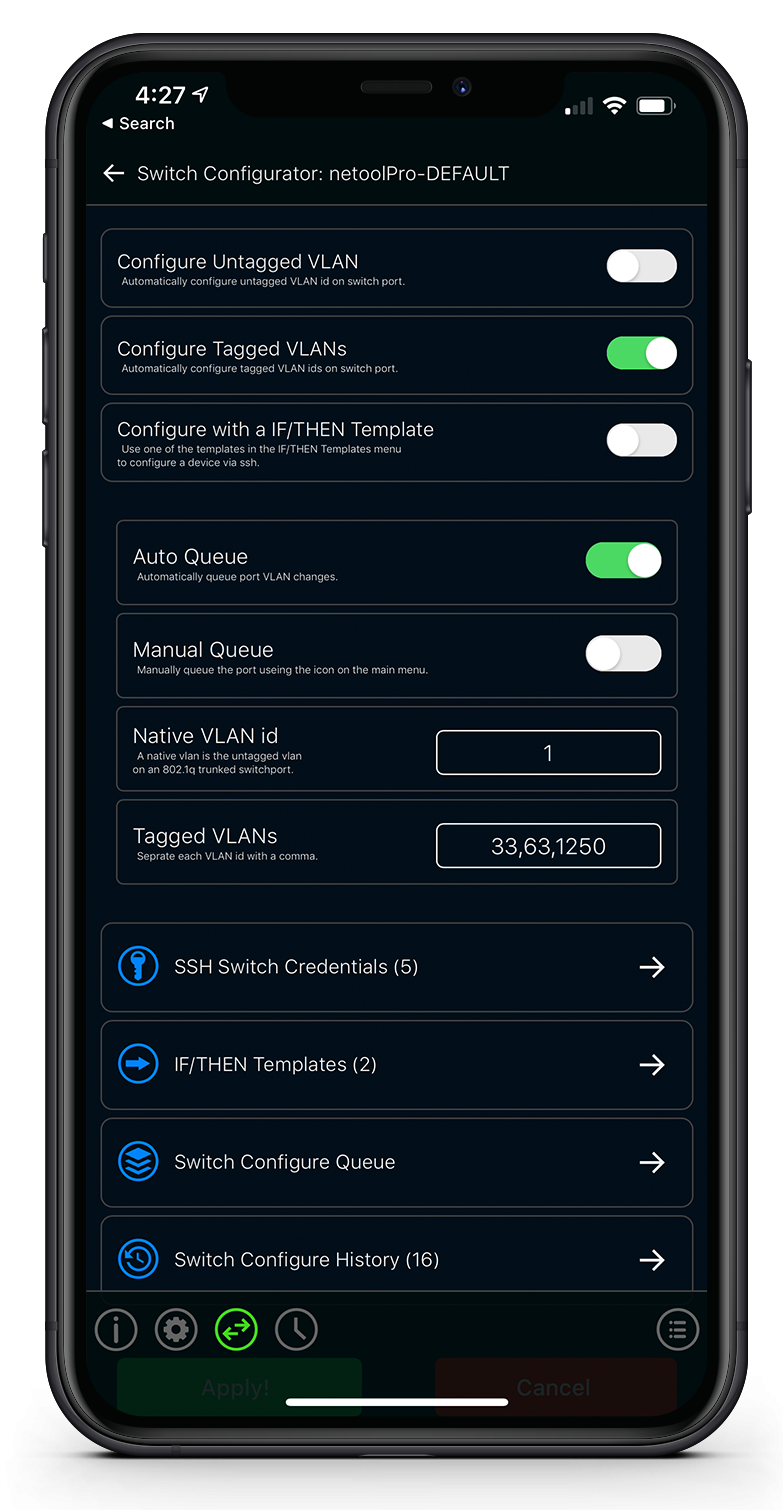
Configure Tagged VLANs
- Auto queue tagged VLANs
Harness the power of the queue by gathering a list of ethernet ports to auto-configure with tagged VLAN ids. Great for Access Point deployments. - Manual queue
Manually select which ports to add to queue. - No syntax knowledge needed
No need to know the switch CLI syntax to configure tagged and native VLAN ids on a port.
Netool.io Pro 2
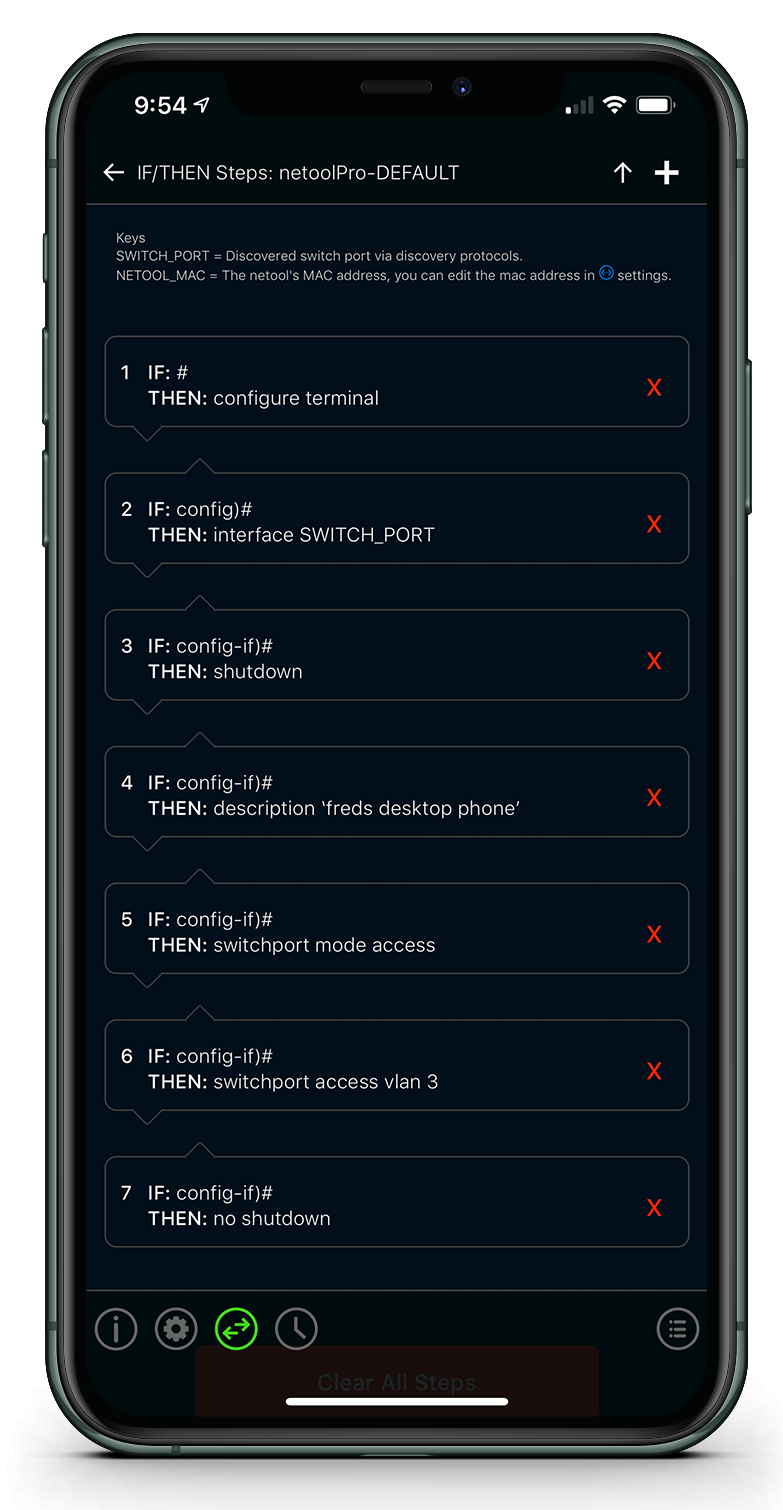
Configure with IF/THEN
- Truly Powerful
Harness the power of IF/THEN statements to make your own custom configuration deployments. - Export
Export your IF/THEN templates using AES 128 encryption and share it with a colleague, near by or across the world, to expand your configuration effort. *WiFi mode only. - Import
Import a shared or backed up IF/THEN template. Download pre-made templates and more. If a iOS user, iOS 10 and above is required for this feature. *WiFi mode only.
Netool.io Pro 2
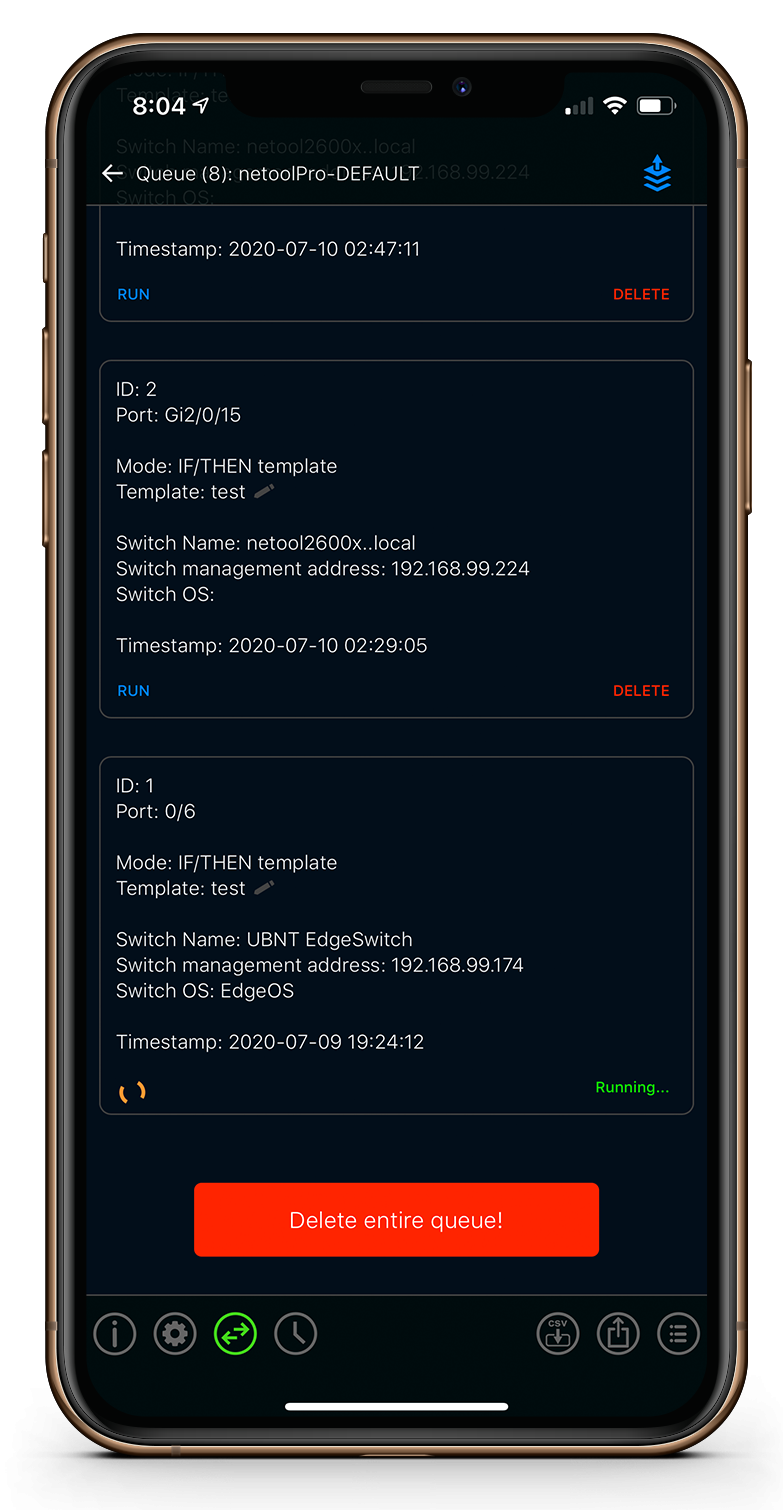
Deploy with auto queue
- Queue many, configure later
If you have many ports to configure, let netool detect the ports you plug it into using LLDP or CDP and configure them automatically later. - Share your queue
Share with a colleague to verify port configuration changes. - Description
Change the port description per queued port. - Run all or just one
You can run the entire queue or just one queue entry.
Netool.io Pro 2
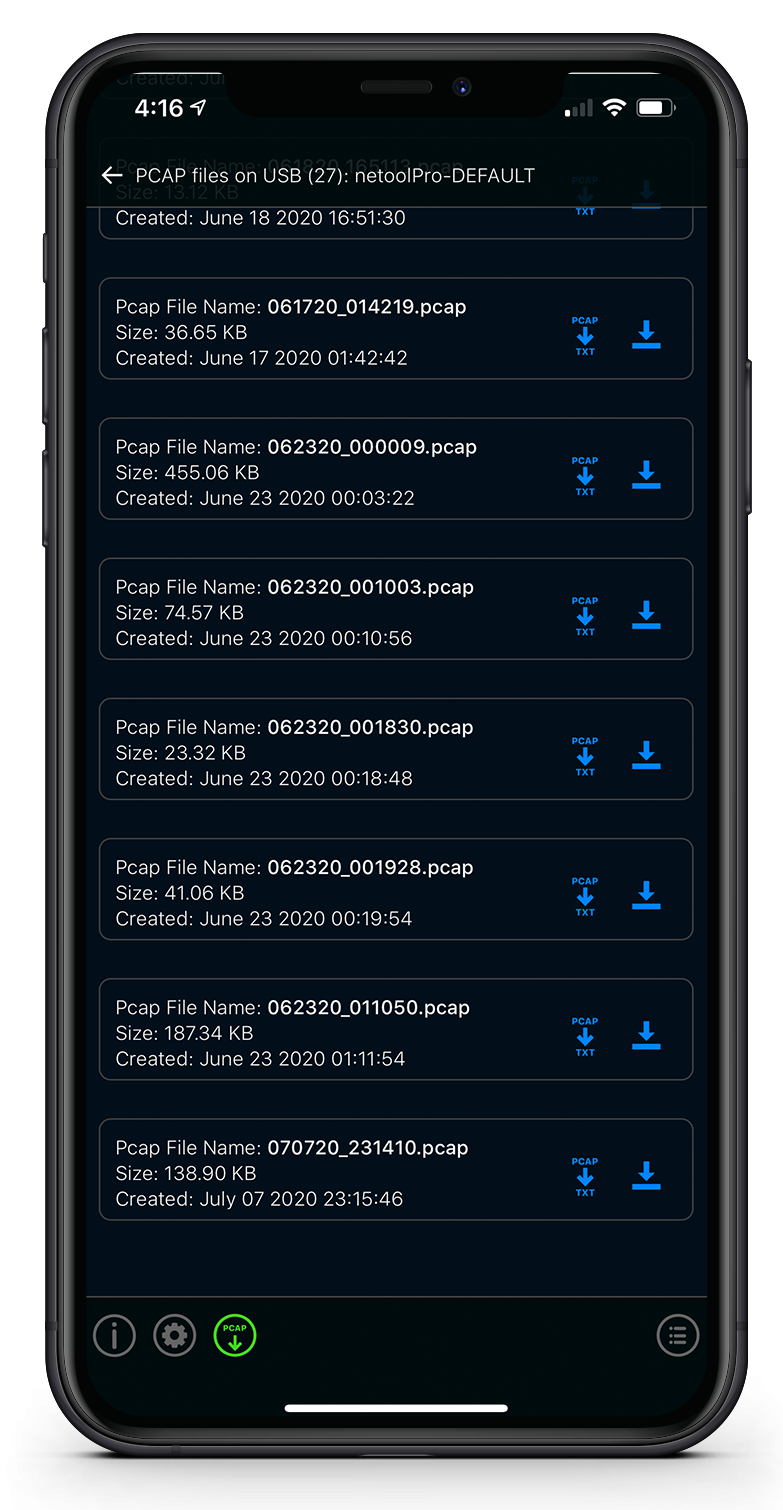
PCAP Capture
- Capture
Capture packets to a USB thumb drive. Thumb drive not included, We recommend a SanDisk. - Filter
Filter out only what you want to capture, for example HTTP. - Convert and Review
Convert to text and download any captured PCAP file on the root of the thumb drive that is plugged into the netool.io Pro.
Netool.io Pro 2
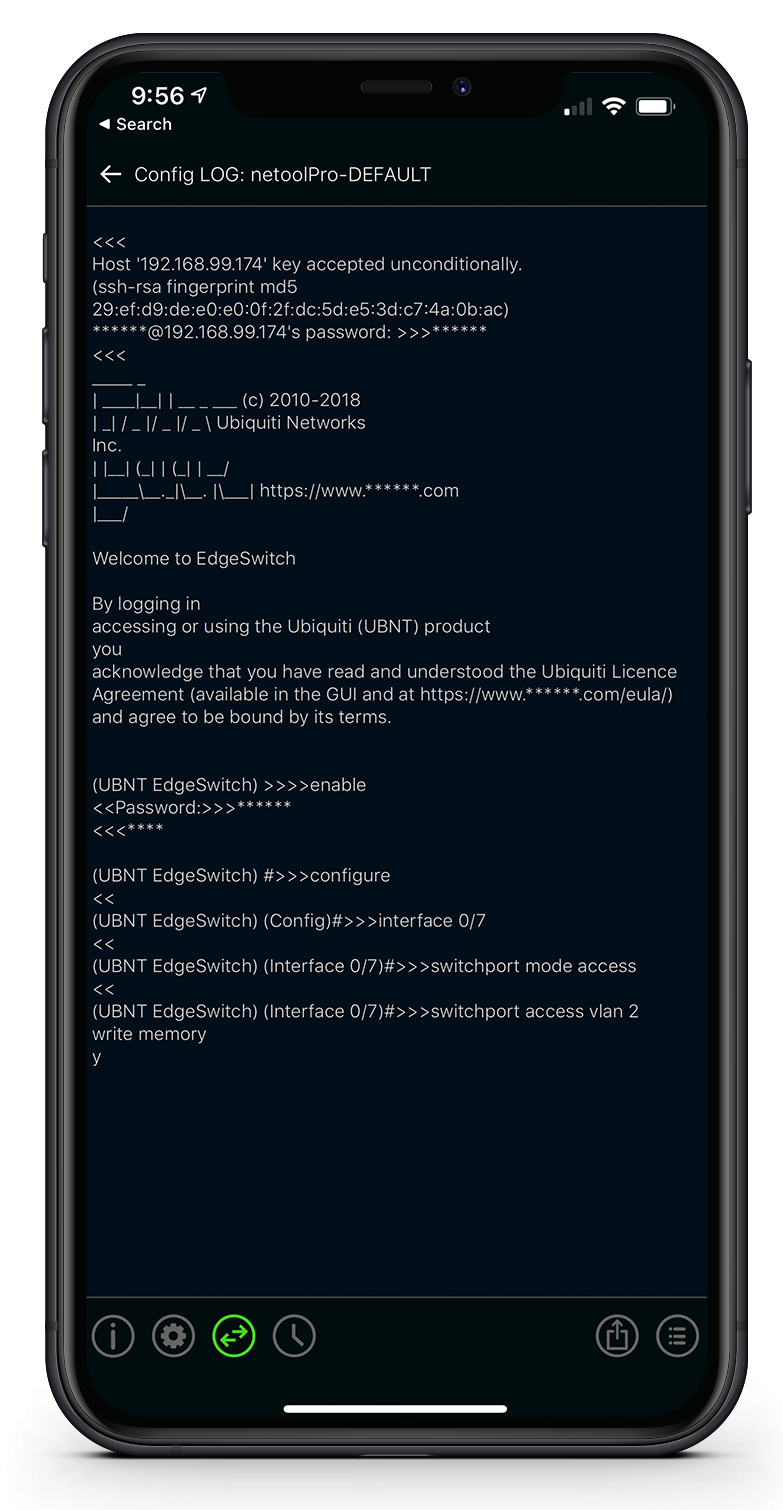
Review the logs
- Detailed log view
For every successful SSH session that netool establishes the netool will save a detailed output log of that session. - Share the log
Share the log via email, slack, txt and more. - Masked passwords
All passwords in the log are detected and masked before saving to the netool.io Pro.
Netool.io Pro 2
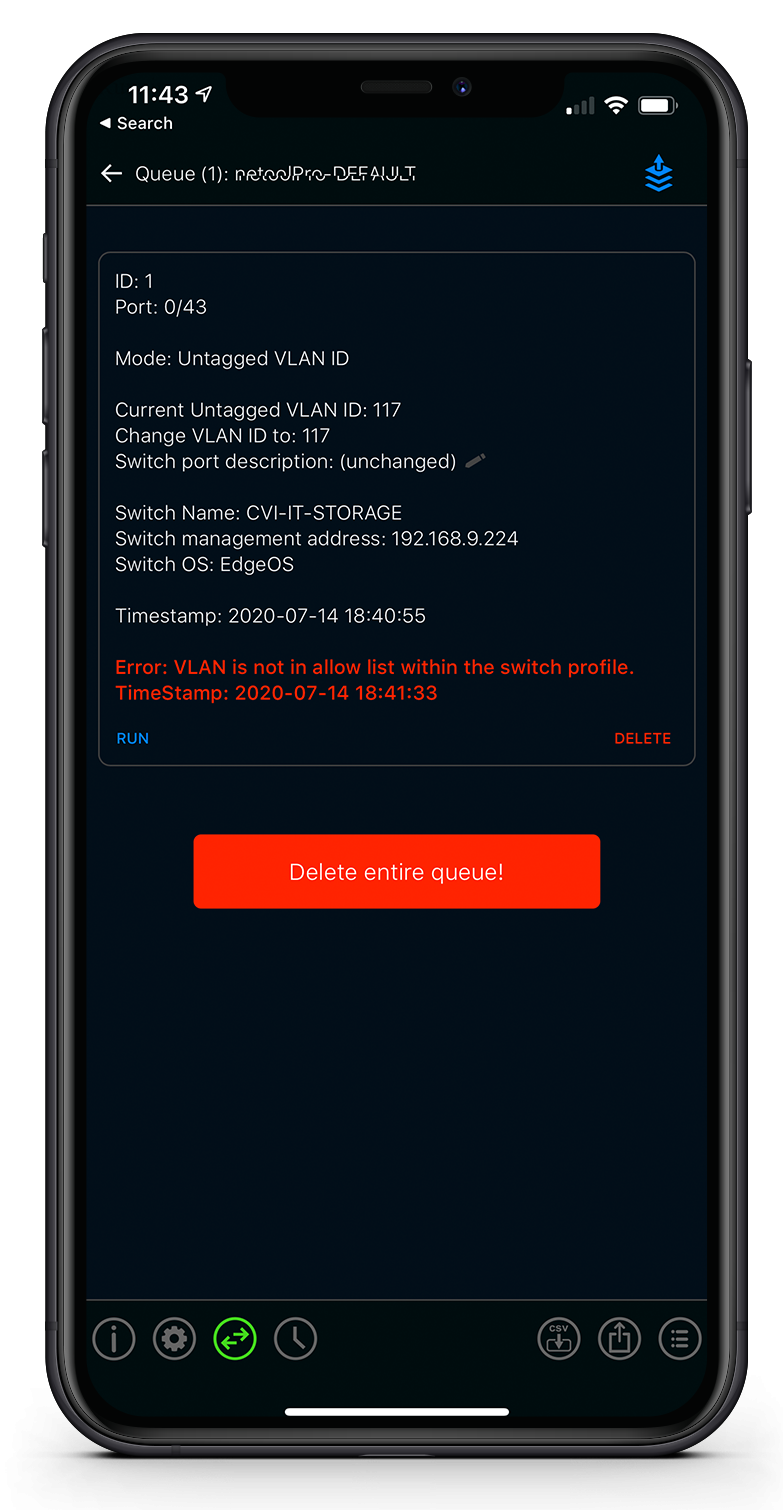
Deploy with confidence
- Control the amount of access
SSH switch credentials profiles are un-editable enabling security even when you give your netool.io another user. - Disable access to IF/THEN templates
IF/THEN templates are a very powerful tool within the netool.io Pro, enabling direct access to the console of the switch that netool.io Pro has credential for. So we added the ability to disable IF/THEN statements for any given switch SSH credential profile. - Restrict VLAN IDs
In a given SSH switch credential profile you can restrict which VLAN ids that this netool can configure to.
Netool.io Pro 2
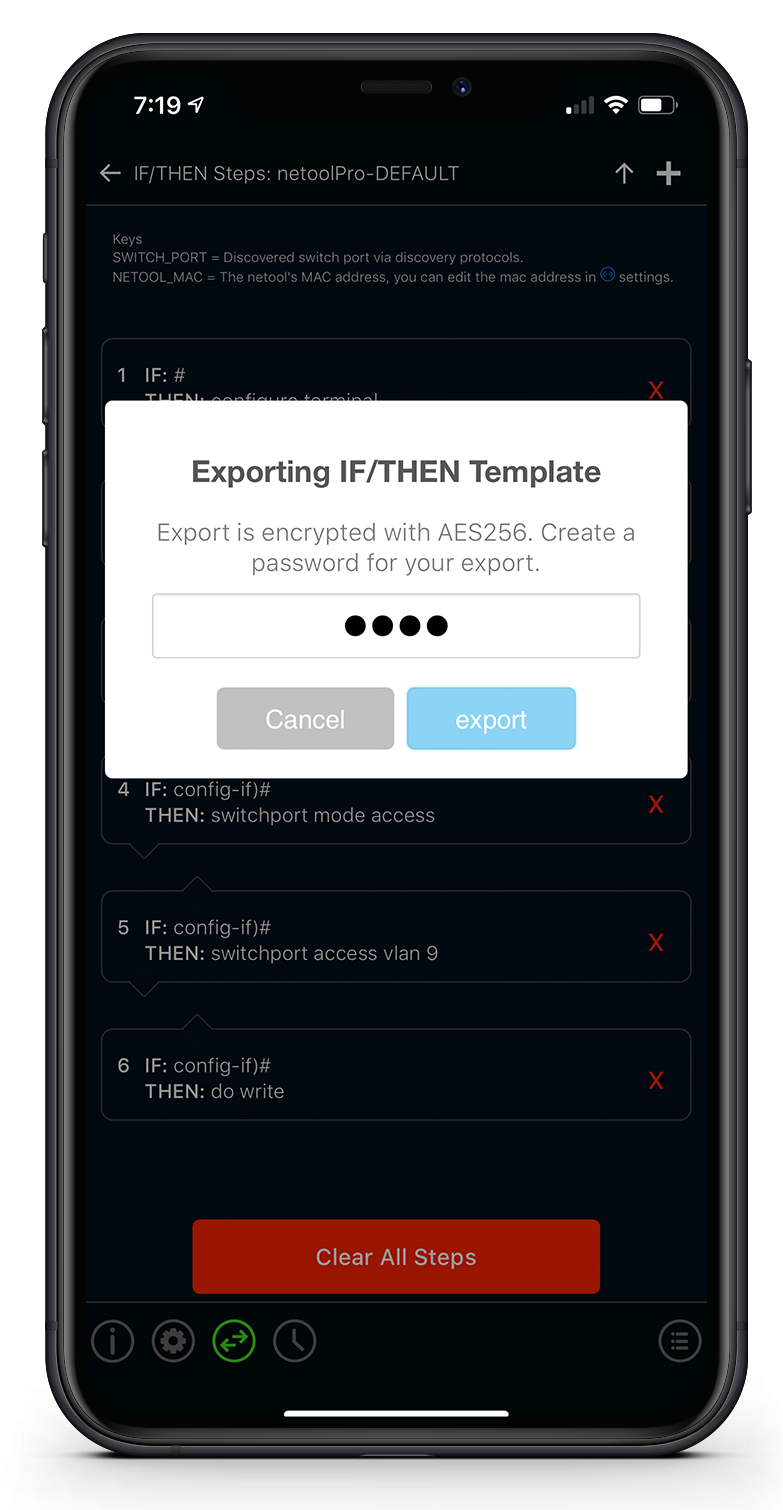
Export and Import
- Credentials
Import or export your Credentials profiles using AES 128 encryption to expand your workforce. *WiFi mode only. - IF/THEN Templates
Have a custom IF/THEN statement to share with your team? Export and share it via email, slack, txt and more. *WiFi mode only.
Netool.io Pro 2
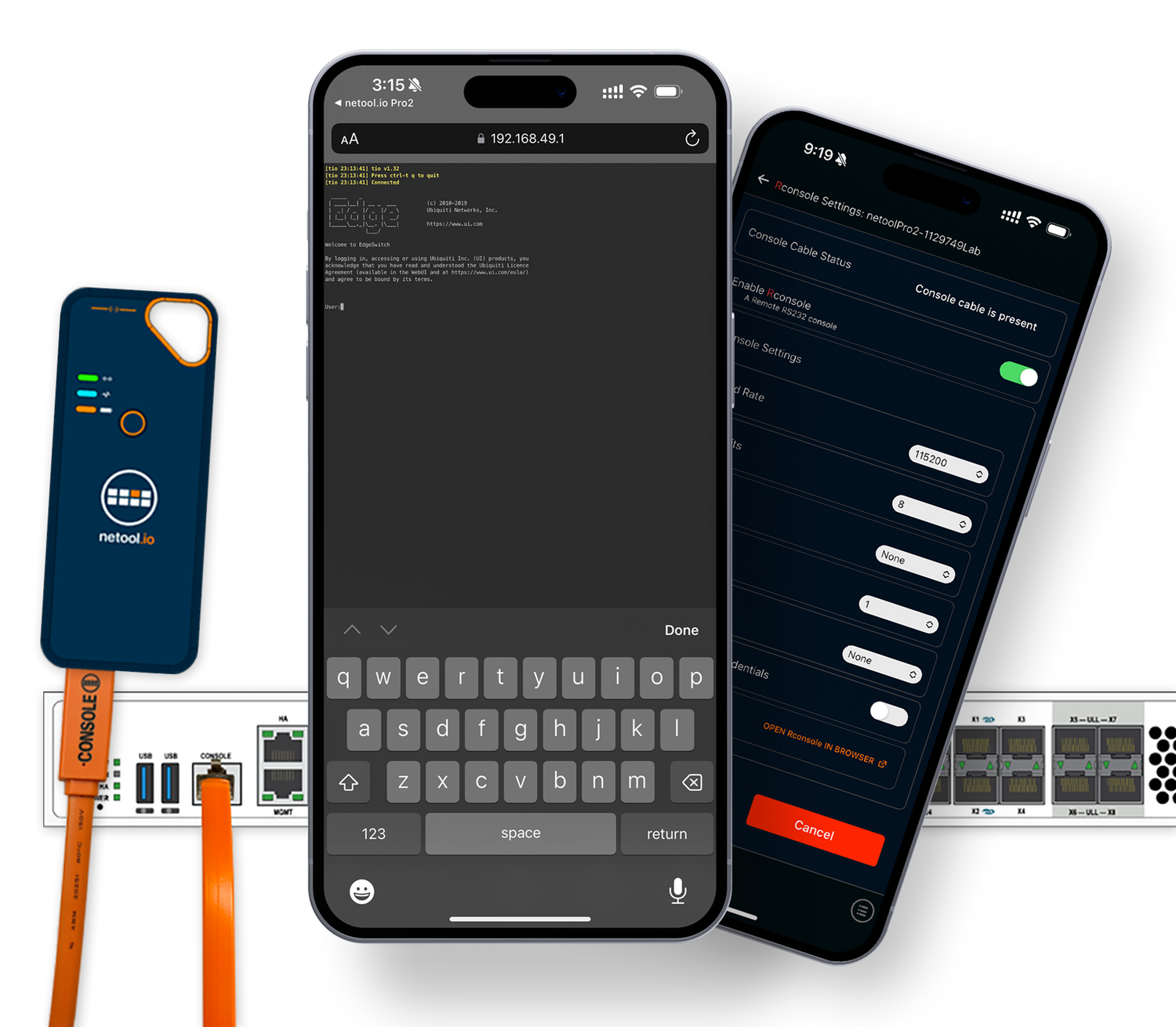
Rconsole
- RS232 Console Cable
Works with our custom RS232 console cable.
Console cable Sold Separately - Remotely connect
Connect to any RJ45 RS232 console port using your phone, tablet or computer. - Configure
Change RS232 settings from Baud Rate, Data Bits, Parity, Stop Bits, Flow Control or even add credentials to secure access to this feature and more. - Requirements
Pro2 firmware build 191+
iOS app version 2.0.30
Android app version 2.0.30